 English
 简体中文
简体中文
 Bahasa Melayu
WINBOX Withdrawal Guide – Secure & Verified Cash Out Process
Step-by-Step Withdrawal Process
Step 1 – Open the Withdrawal Page
Log in to your WINBOX account and select "Withdrawal" from the wallet menu. Make sure your balance is sufficient and matches withdrawal requirements.
Step 2 – Select Your Verified Bank Account
Choose the bank account already approved during your identity verification. WINBOX will only process withdrawals to accounts that match your registered real name.
Step 3 – Enter Withdrawal Amount
Enter the desired amount (MYR). WINBOX recommends withdrawing whole figures (100, 200, 300…) to speed up approval and avoid delays caused by fund cleaning procedures.
Step 4 – Review Remaining Attempts
Each user has limited free verification attempts. Ensure your bank information is correct before submitting to avoid rejection or attempt deduction.
Step 5 – Submit Withdrawal Request
Click "Submit" to send your request. WINBOX will process it after validating identity, bank match, and system risk control.
Step 6 – Await Processing
Processing time may vary due to bank hours or system traffic. You can track your transaction status through the "Wallet Info" page.
Identity Verification (H5 Version)
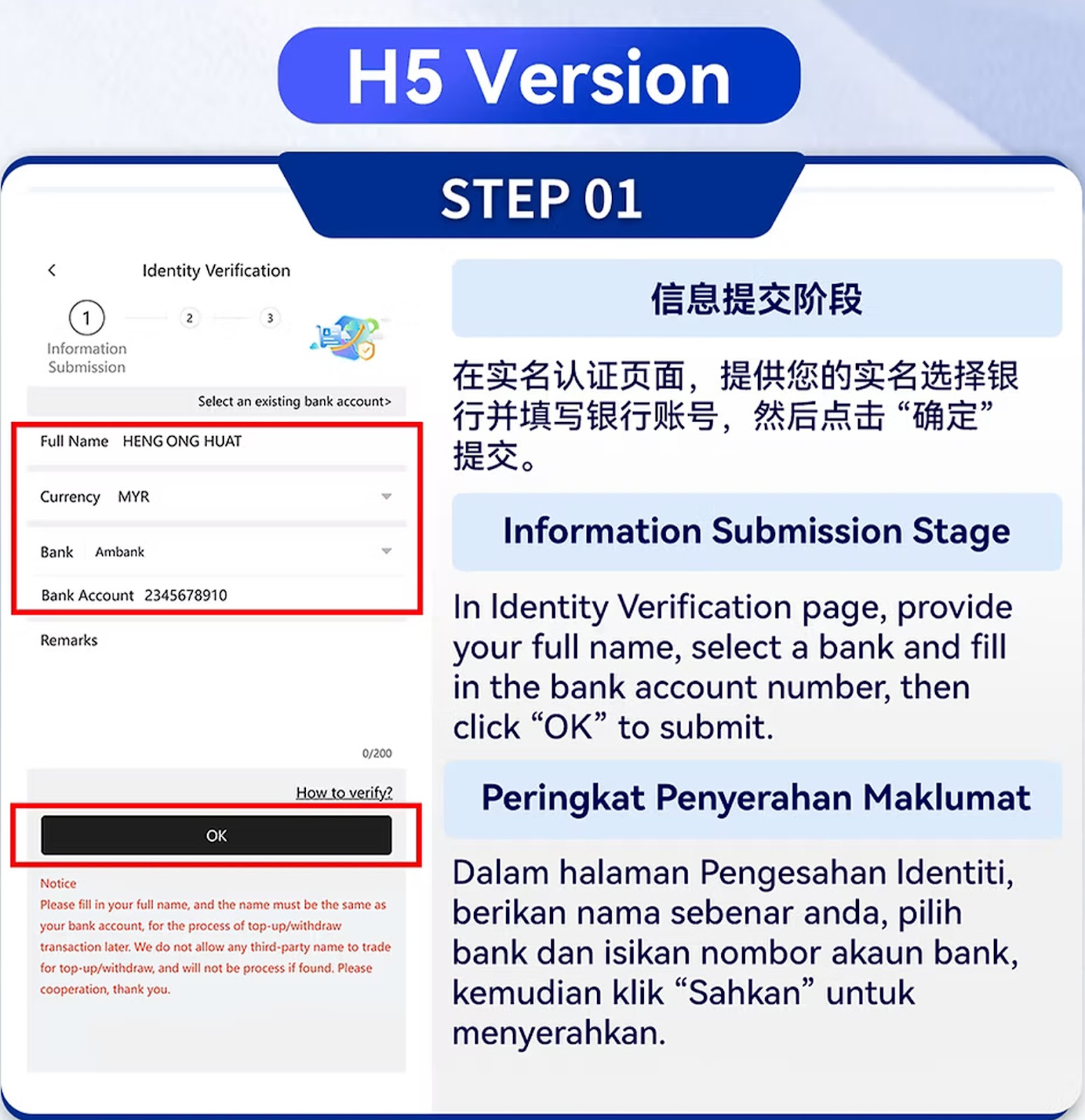
Step 01 – Information Submission Stage
Provide your real full name, IC/passport number, and bind your bank account. All information must match your bank records. Third-party names are strictly not allowed.
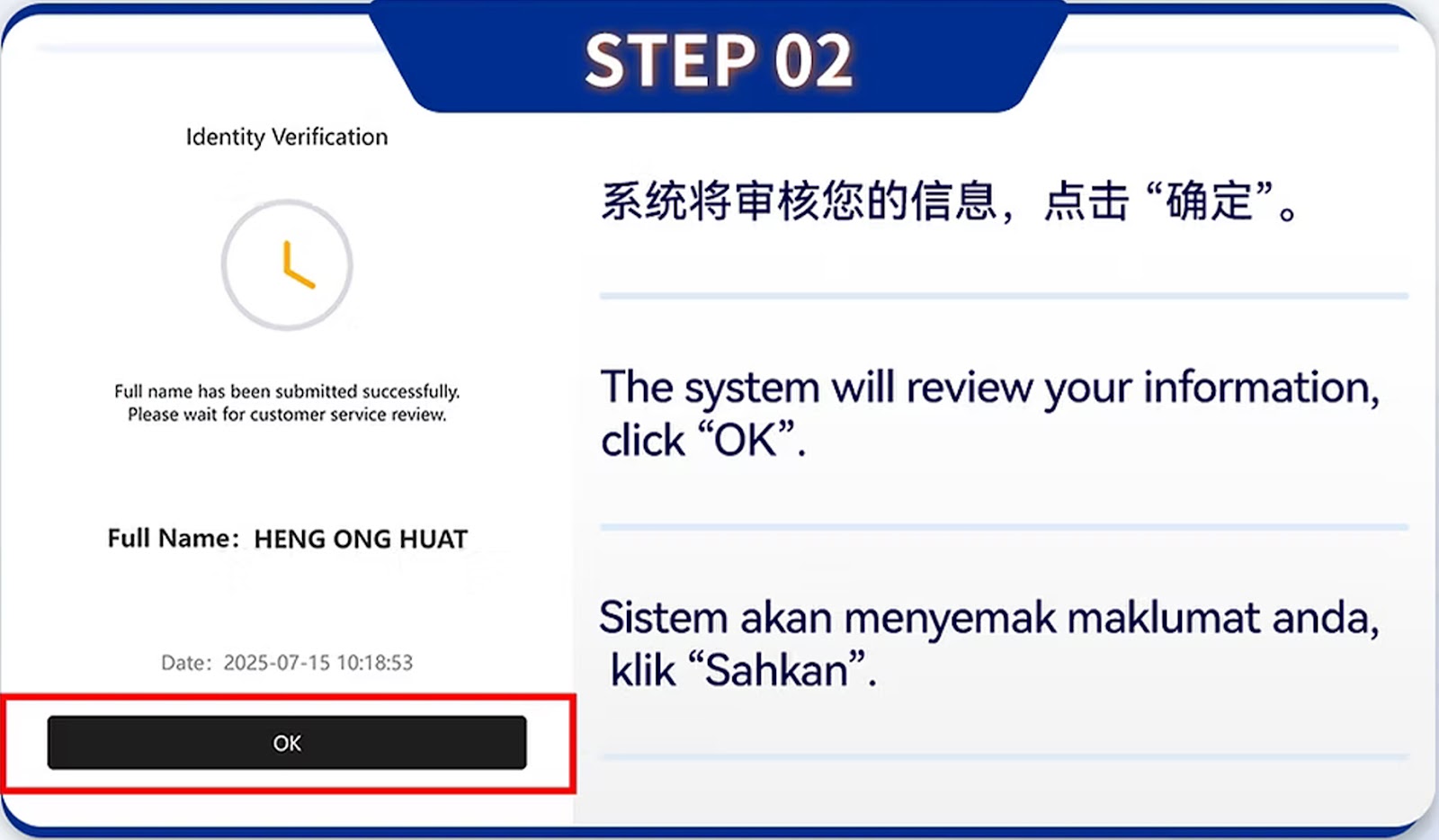
Step 02 – Privacy Verification Stage
Upload your ID document, ensure clarity, and follow the on-screen instructions to complete the privacy verification step.
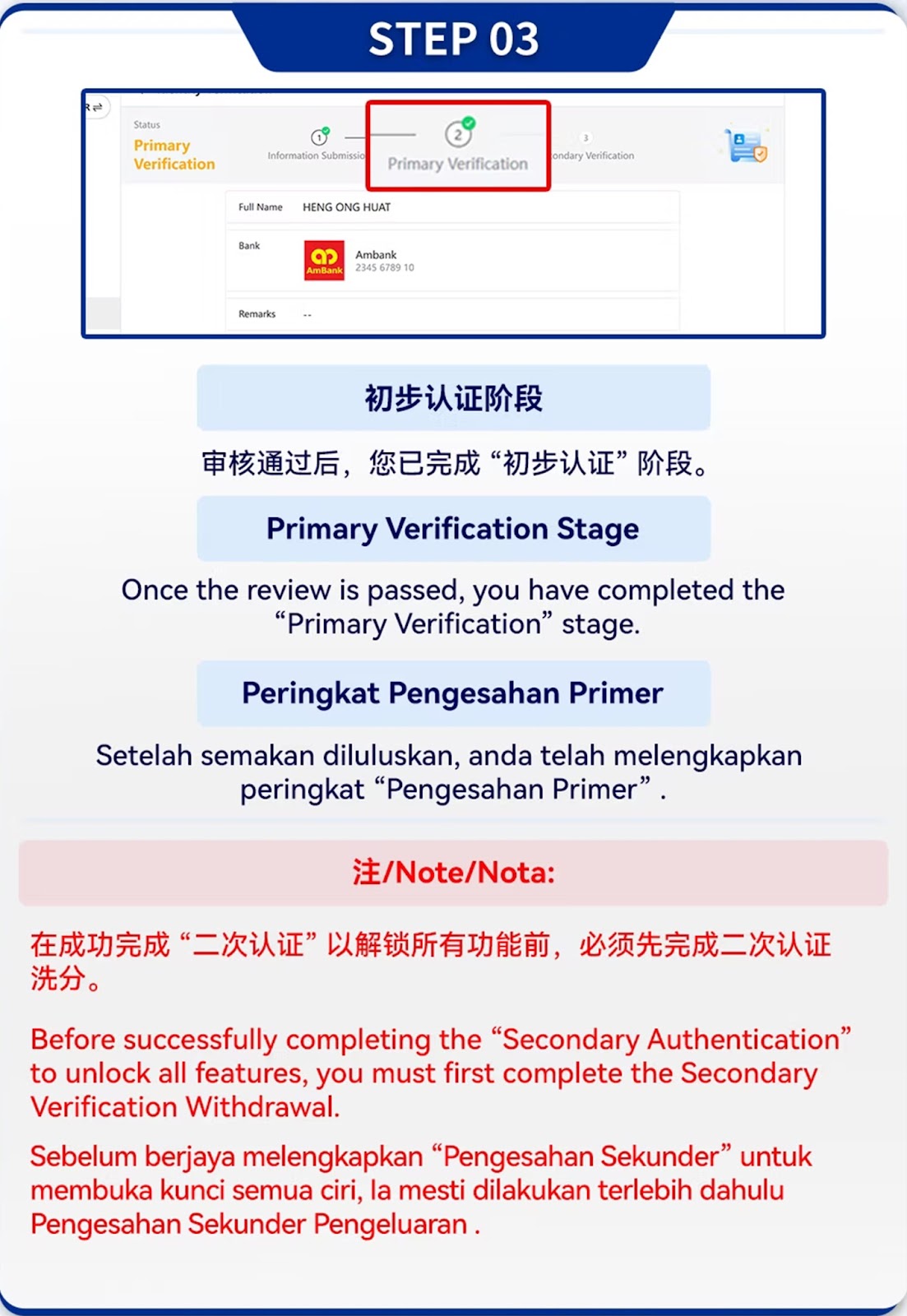
Step 03 – Confirm Identity Details
Re-check all personal and banking details. Any mismatch will result in rejection.
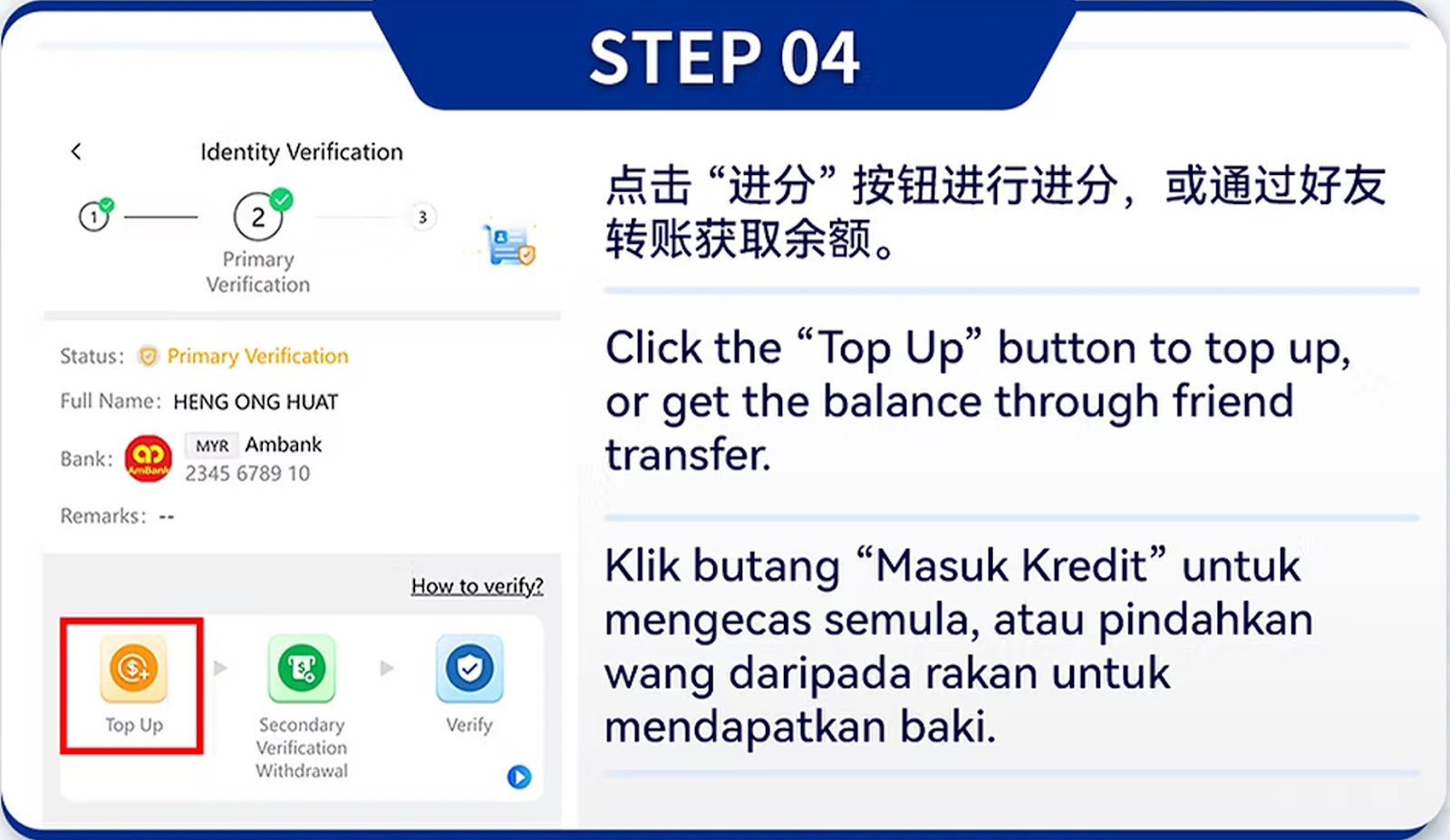
Step 04 – Initial Deposit Requirement
Deposit the guided amount to activate the verification process. The system uses this deposit for identity matching.
Step 05 – Identity and Bank Binding
The system verifies your bank account ownership automatically. Ensure the bank number and ID belong to you.
Step 06 – Submit Deposit Proof
Enter the deposit amount correctly. Incorrect submission may cause delays or rejection.
Step 07 – Verification Sync
The system cross-checks your information and deposit record for accuracy.
Step 08 – System Validation
Once validated, your identity moves to the next stage.
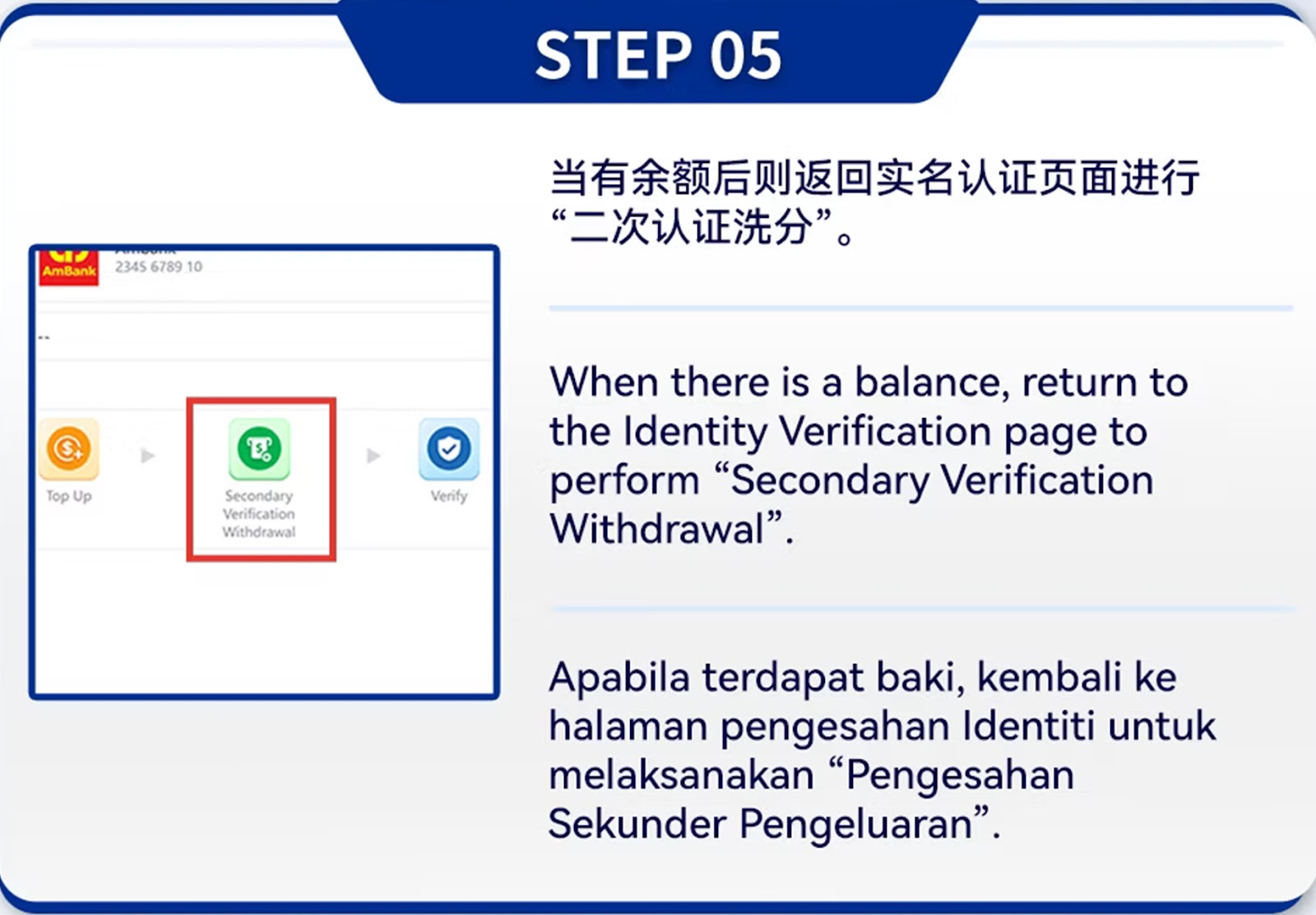
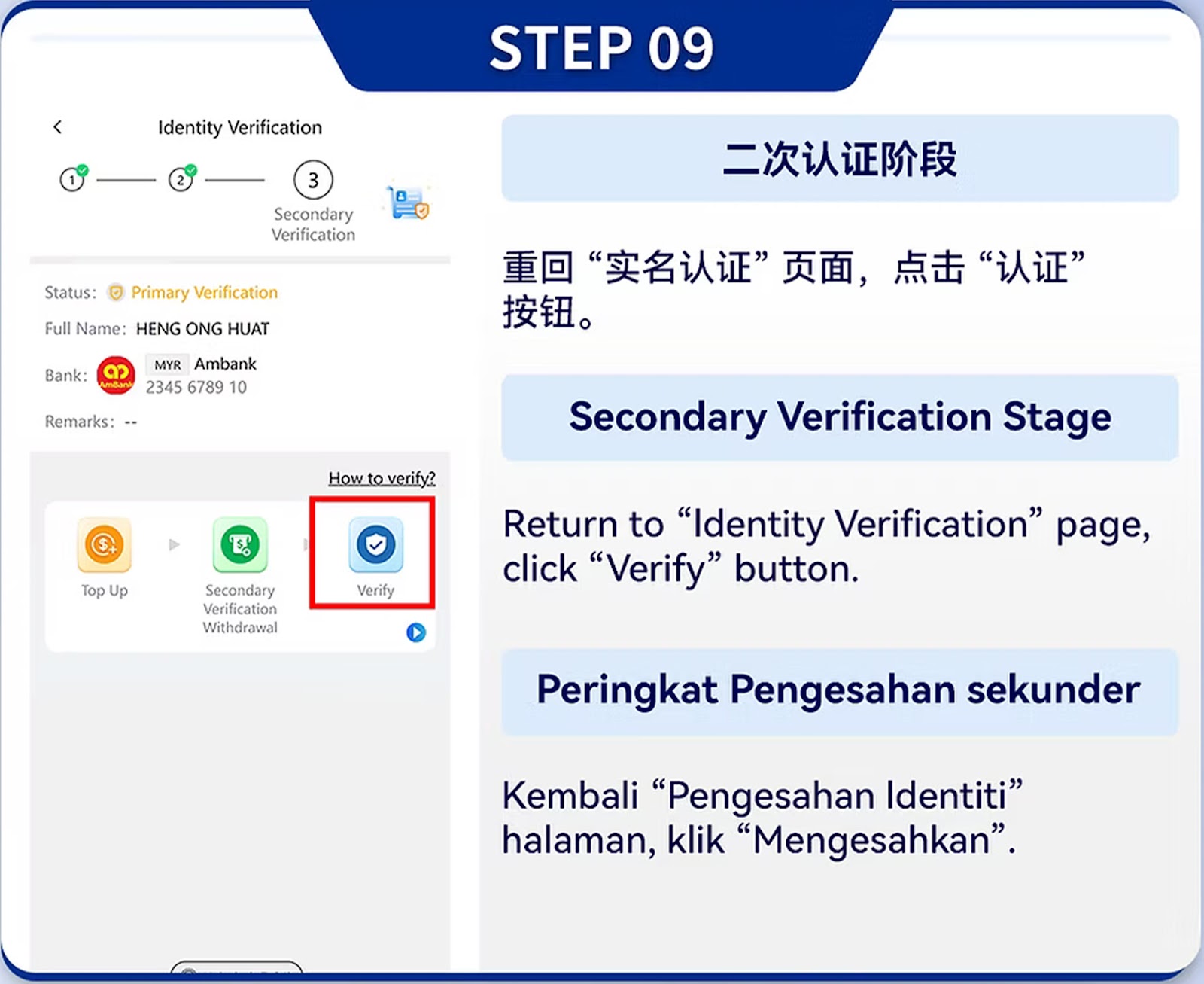
Step 09 – Secondary Verification Stage
The system asks you to verify again through linked banking or mobile verification methods.
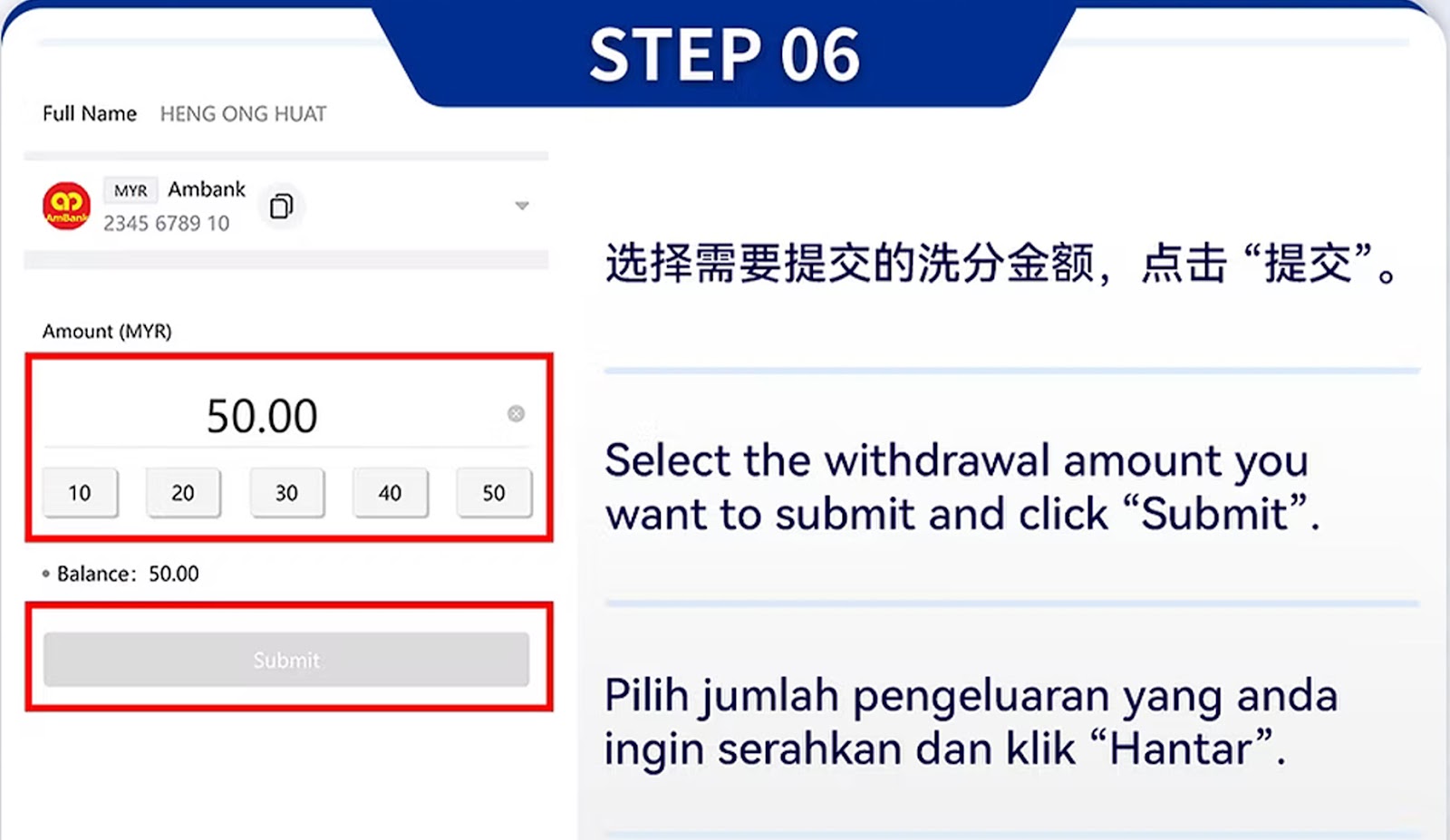
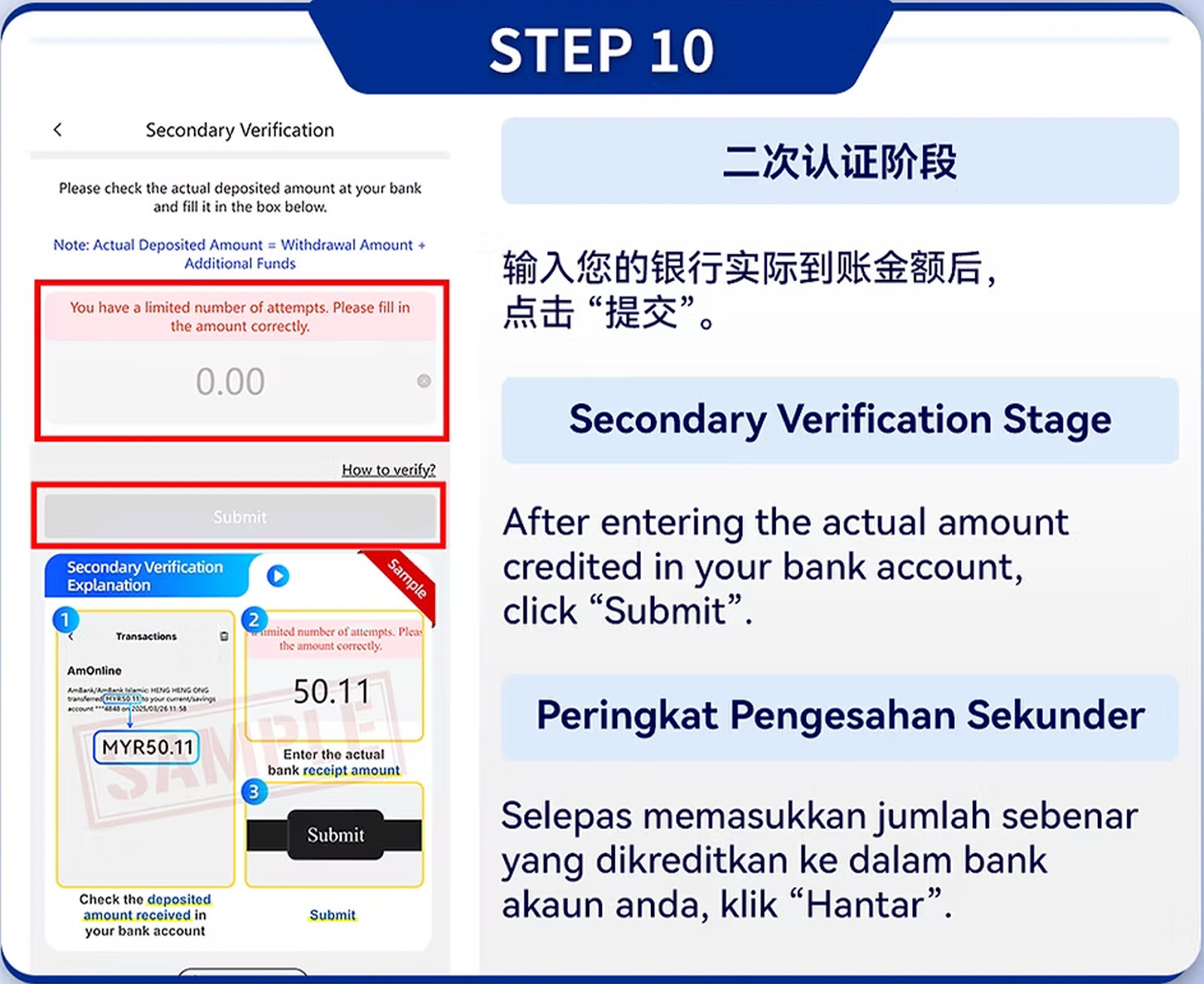
Step 10 – Enter Withdrawal Verification Amount
Enter the guided amount for final verification. This verifies that the bank truly belongs to you.
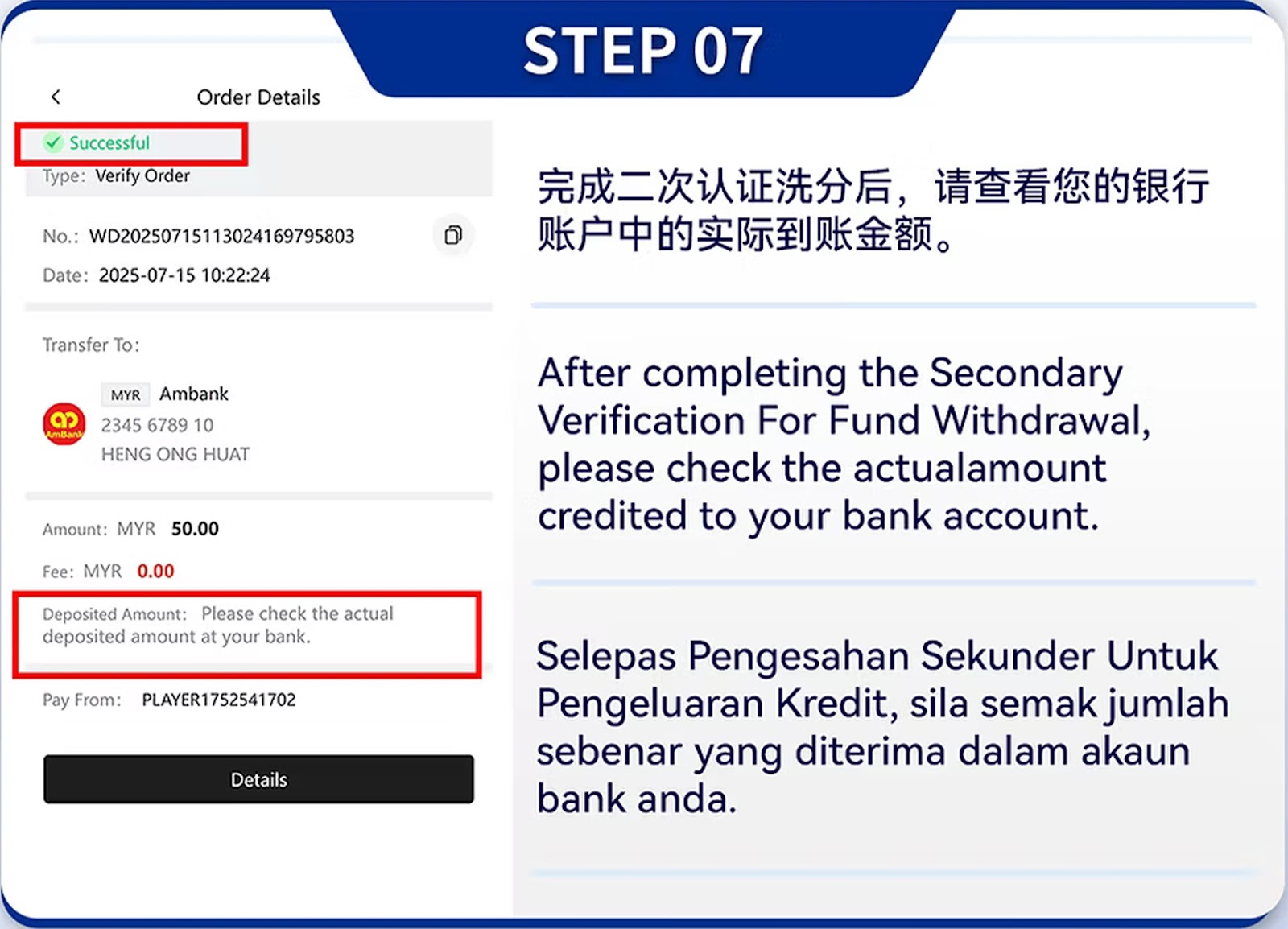
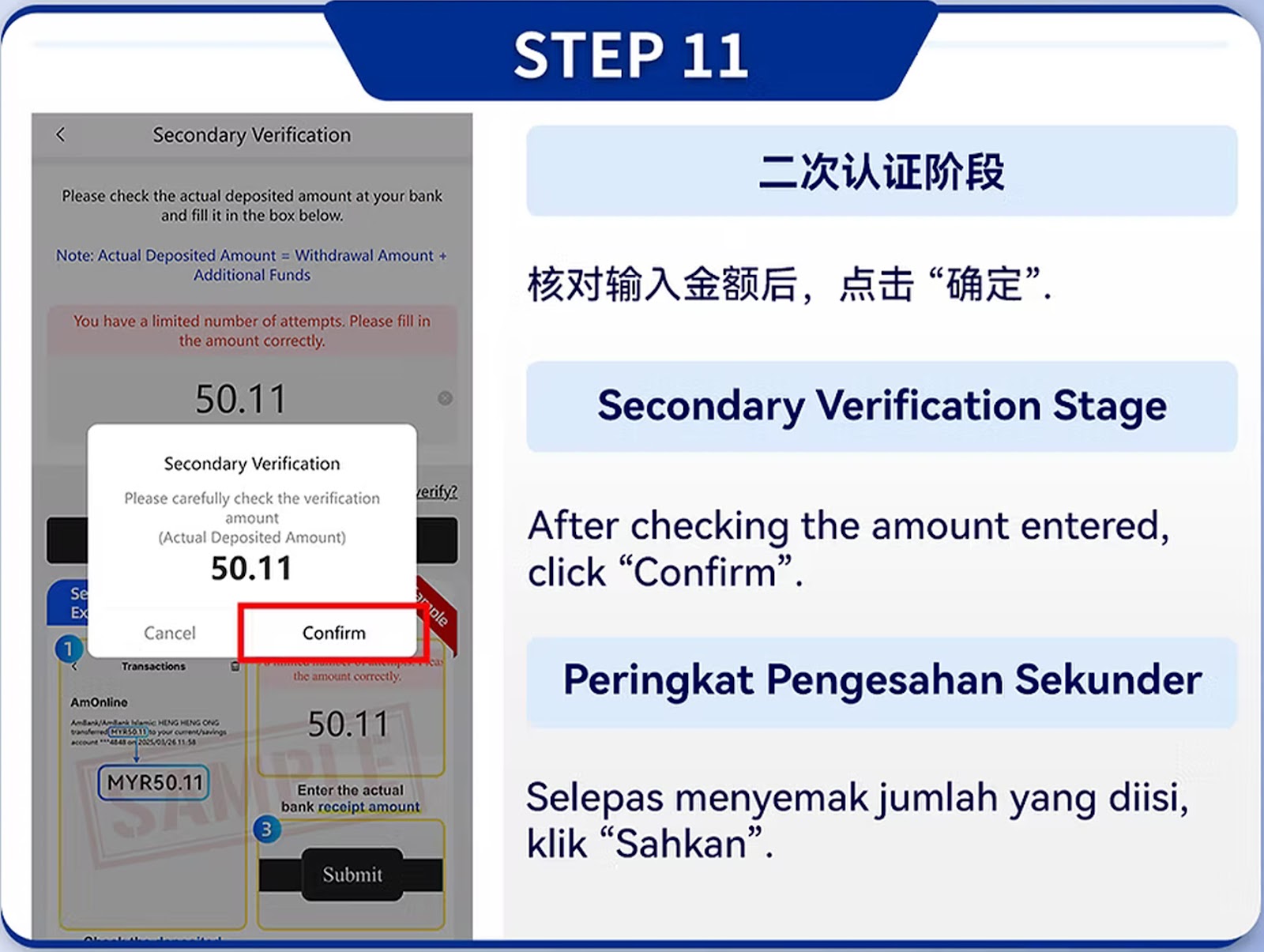
Step 11 – Final Review
The system checks for consistency between personal details and bank owner name.
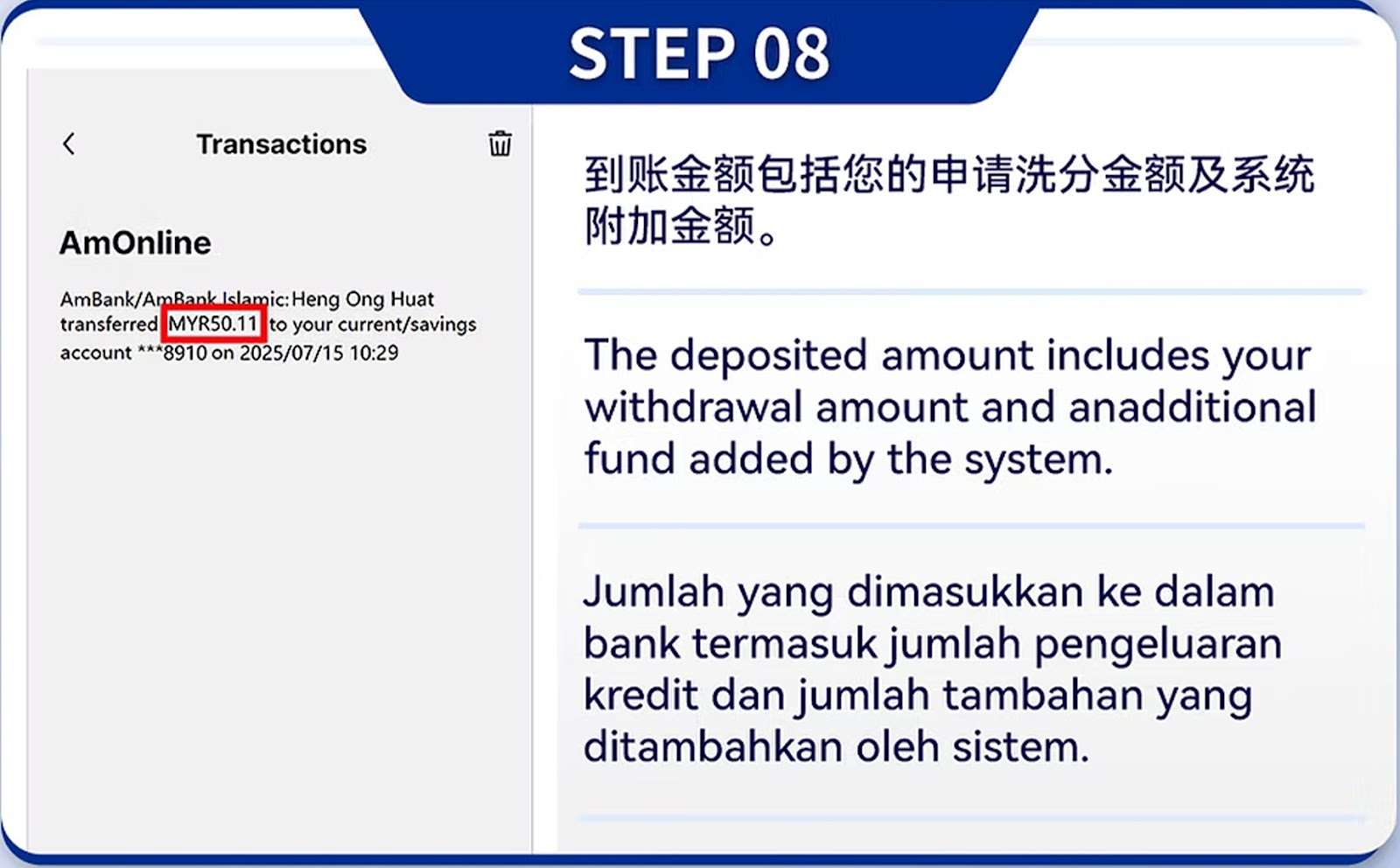
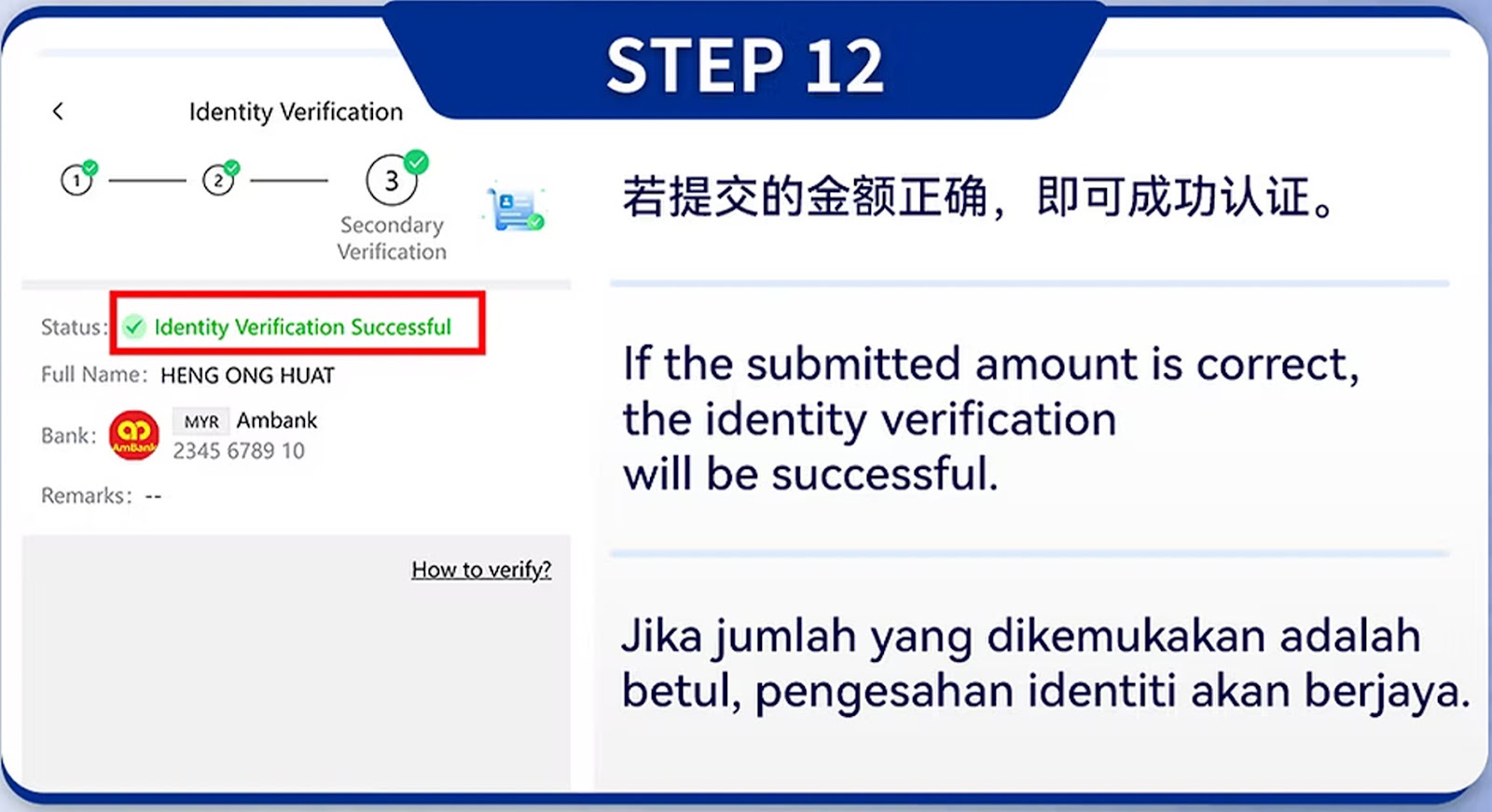
Step 12 – Verification Completion
Once approved, your account becomes fully eligible for withdrawals.
Identity Verification (PC Version)
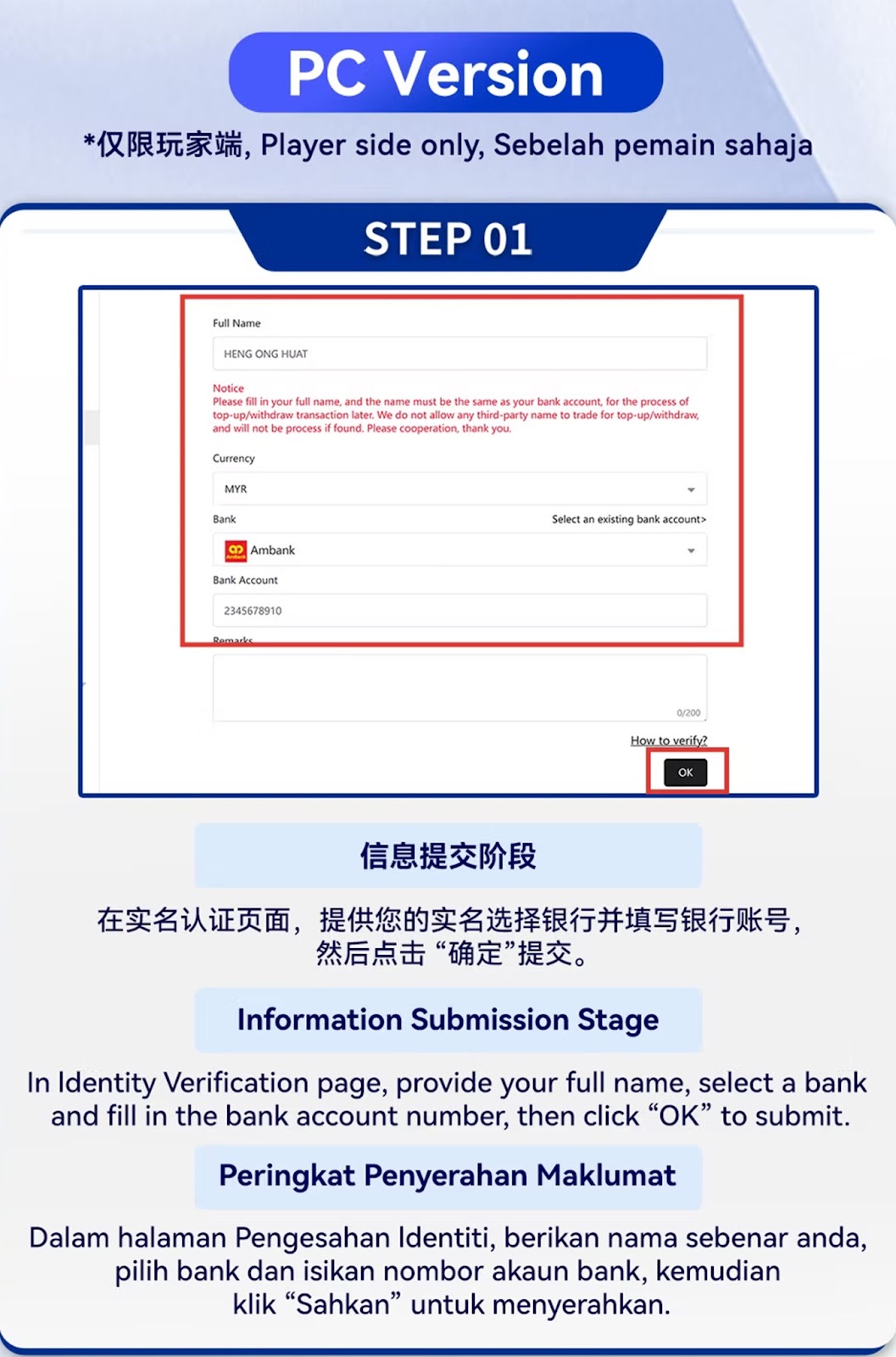
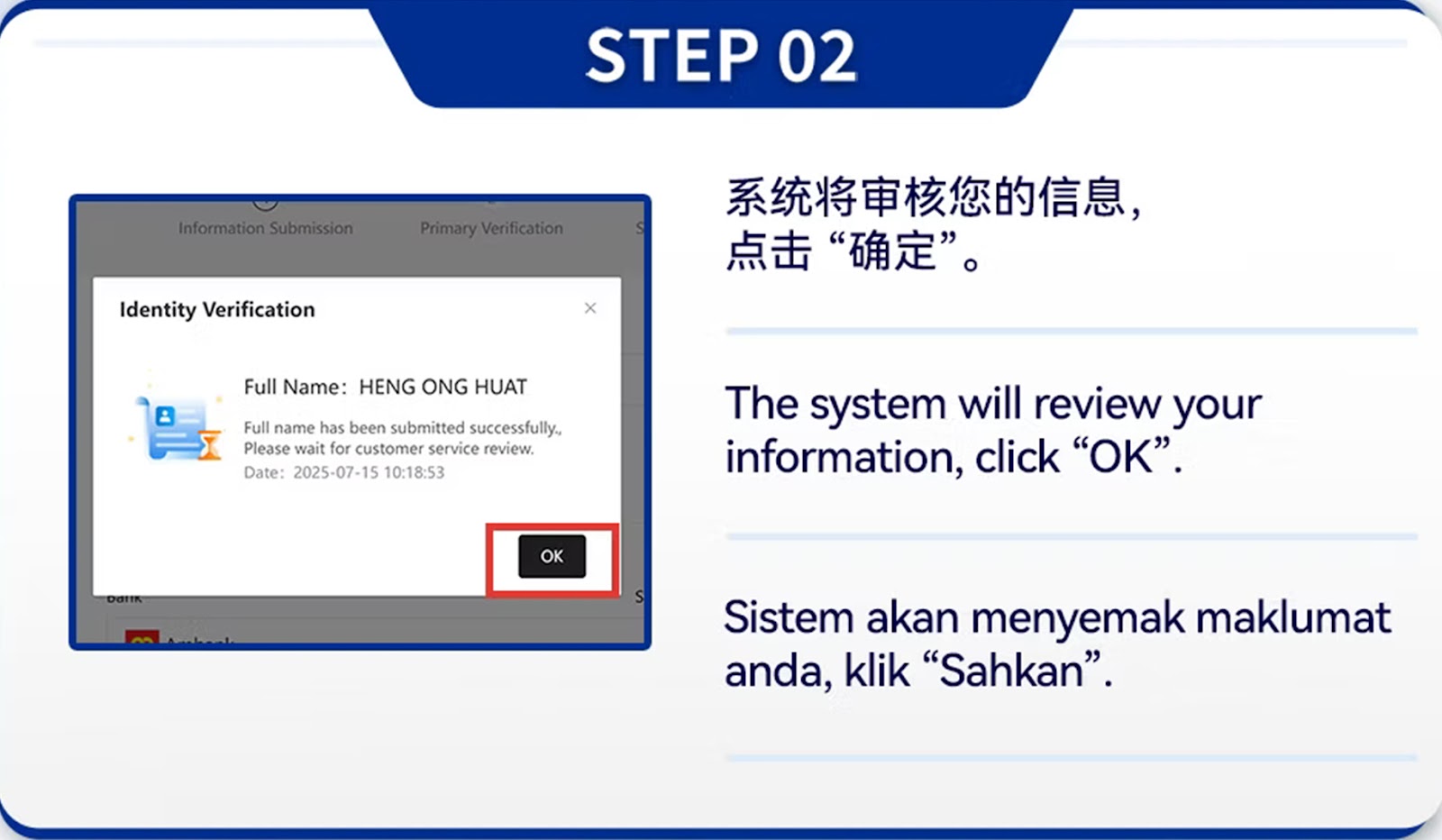
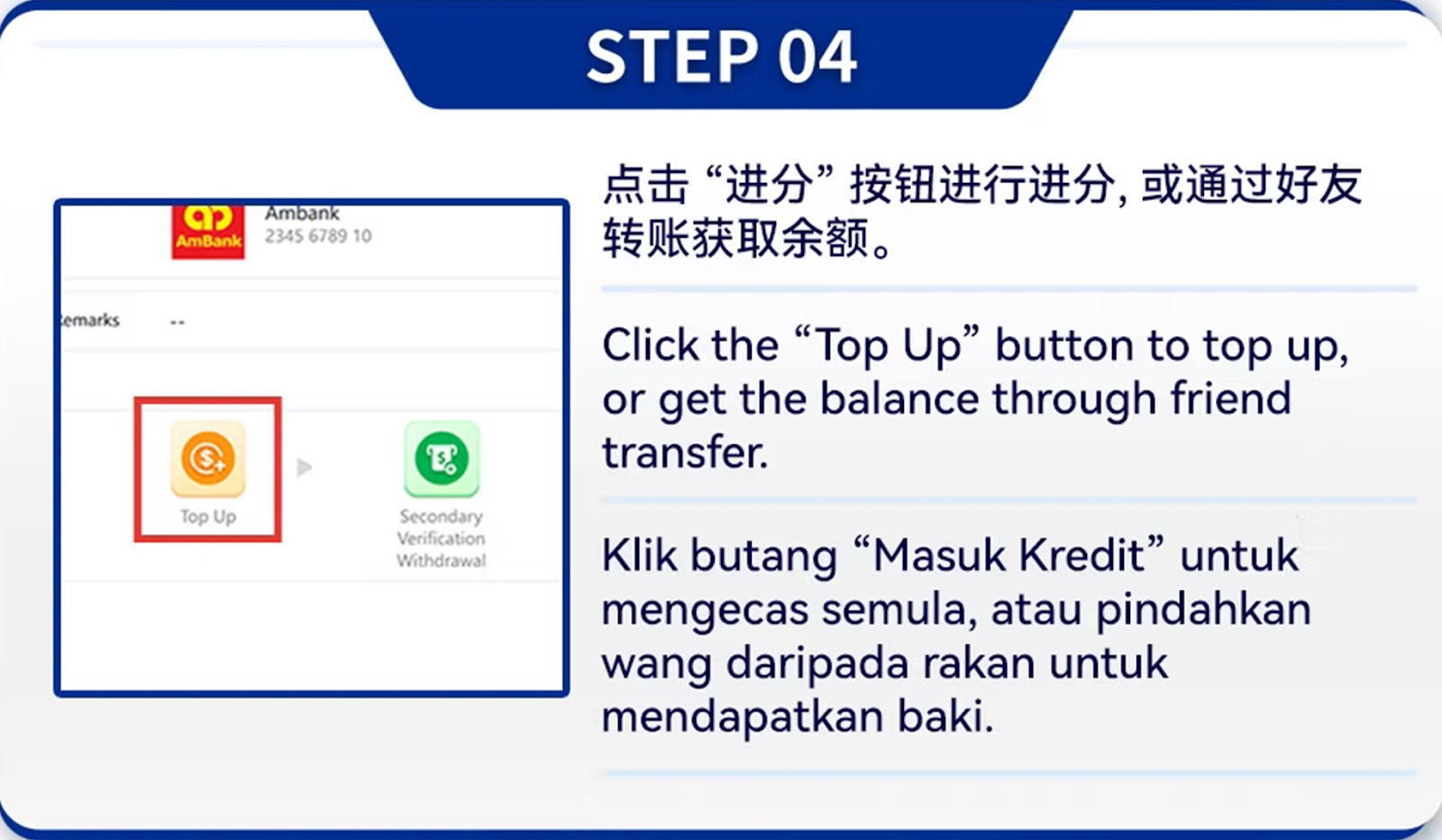
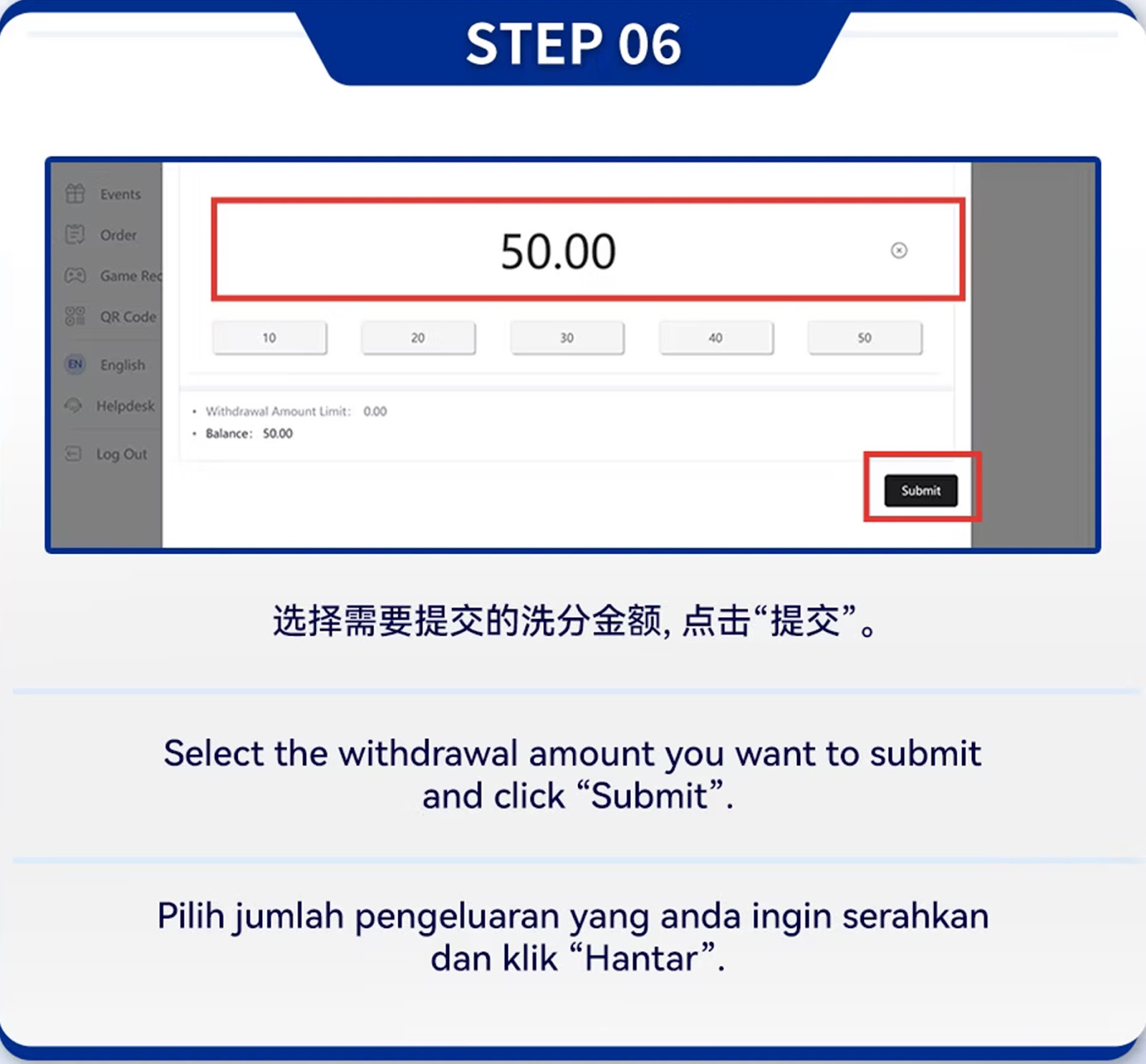
Step 01 – Submit User Information
Fill in your full name, bank details, and identification number exactly as shown in your banking records.
Step 02 – Upload Required Documents
Upload photos of your identification card/passport and a selfie holding your ID.
Step 03 – Primary Verification
After uploading, the system performs primary verification of your identity and bank information.
Step 04 – Deposit Verification Step
Deposit the instructed amount to sync with bank details for identity validation.
Step 05 – Bank Ownership Authentication
The system verifies whether your bank account belongs to the same identity you submitted.
Step 06 – Enter Deposit Amount
Input the exact deposit amount required for verification.
Step 07 – Secondary Verification Stage
After deposit verification, proceed to the withdrawal verification interface.
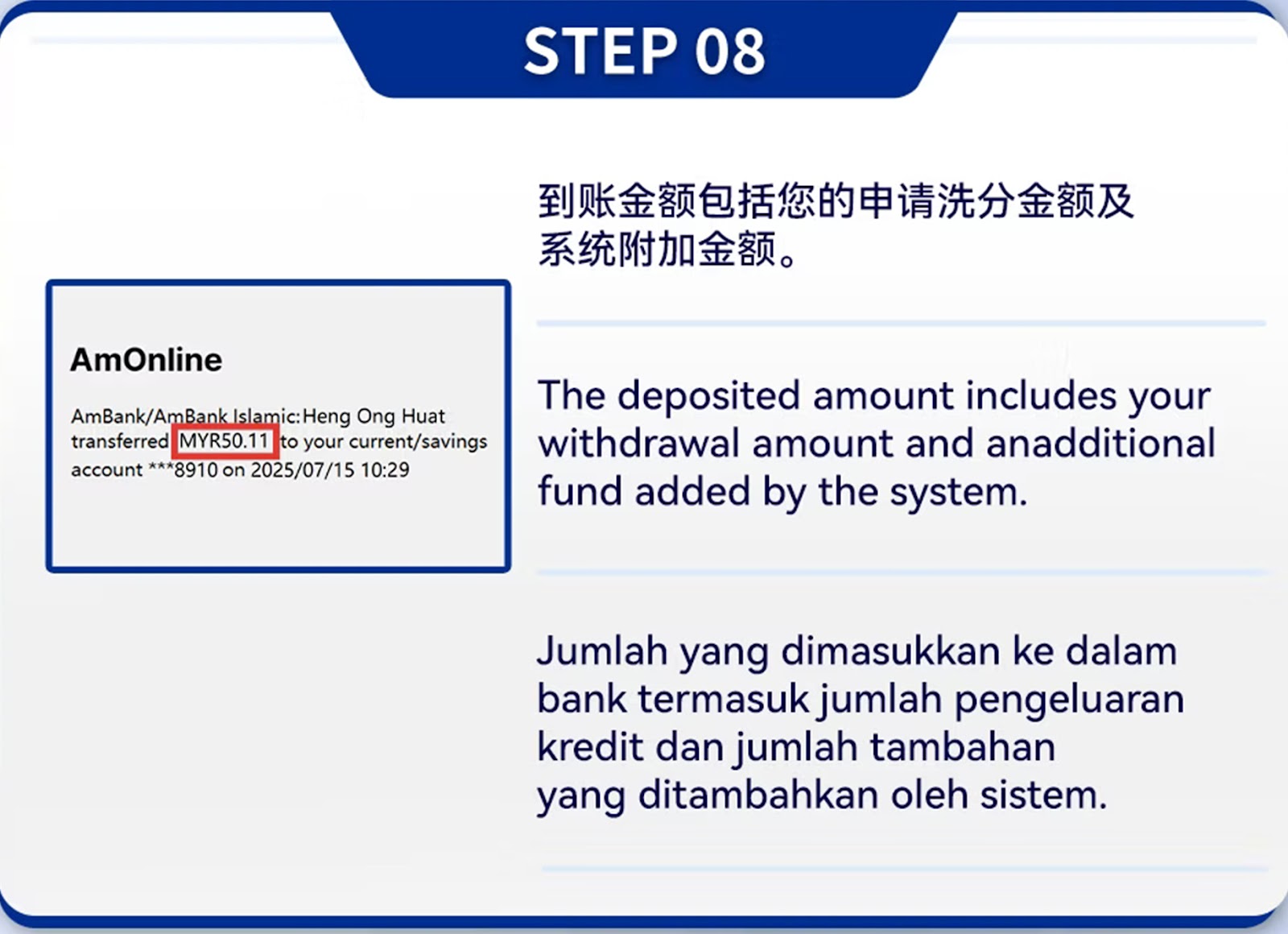
Step 08 – System Cross-checking
The system compares your personal data and bank account information.
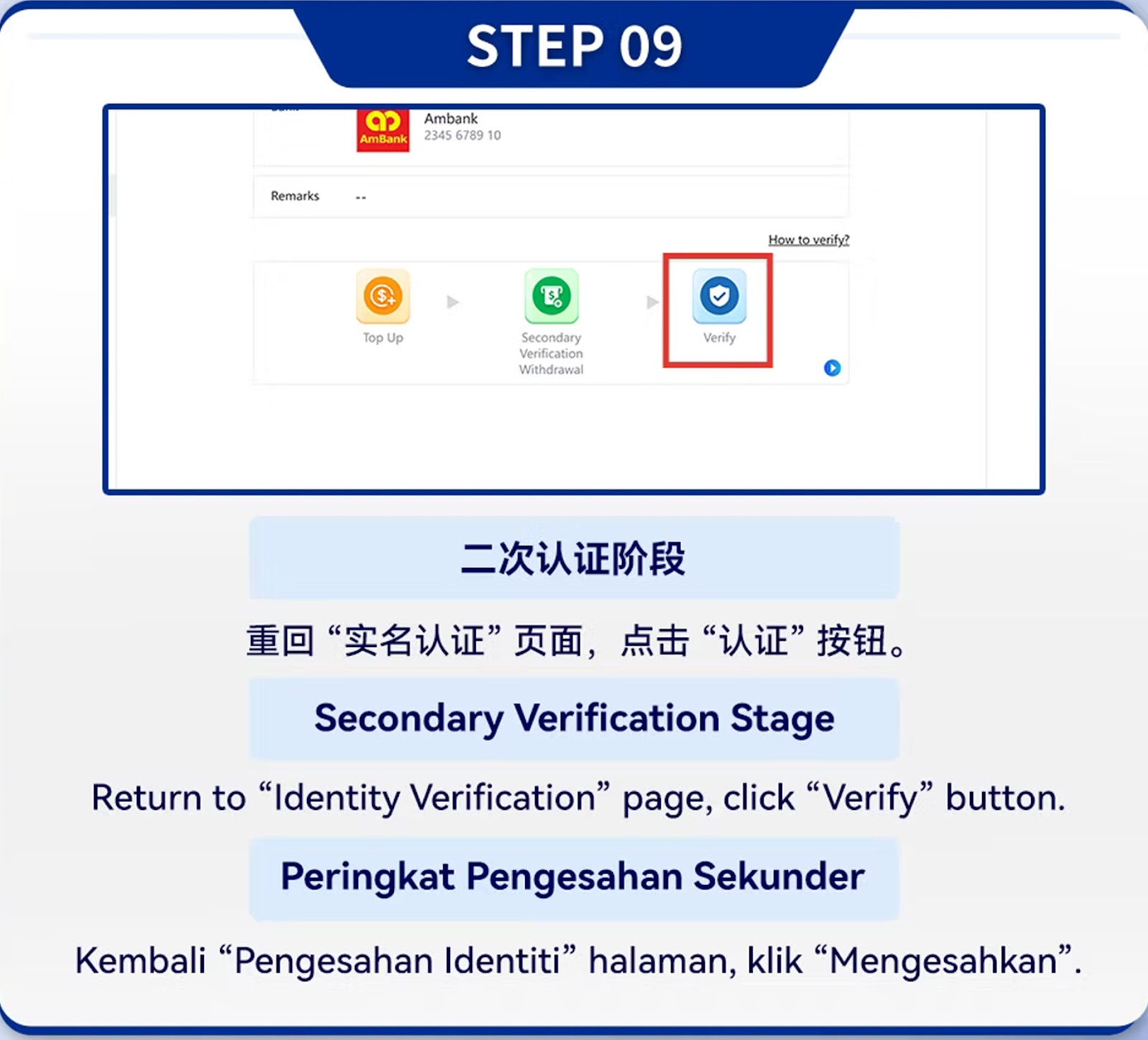
Step 09 – Final Identity Confirmation
Press "Verify" to confirm the final verification.
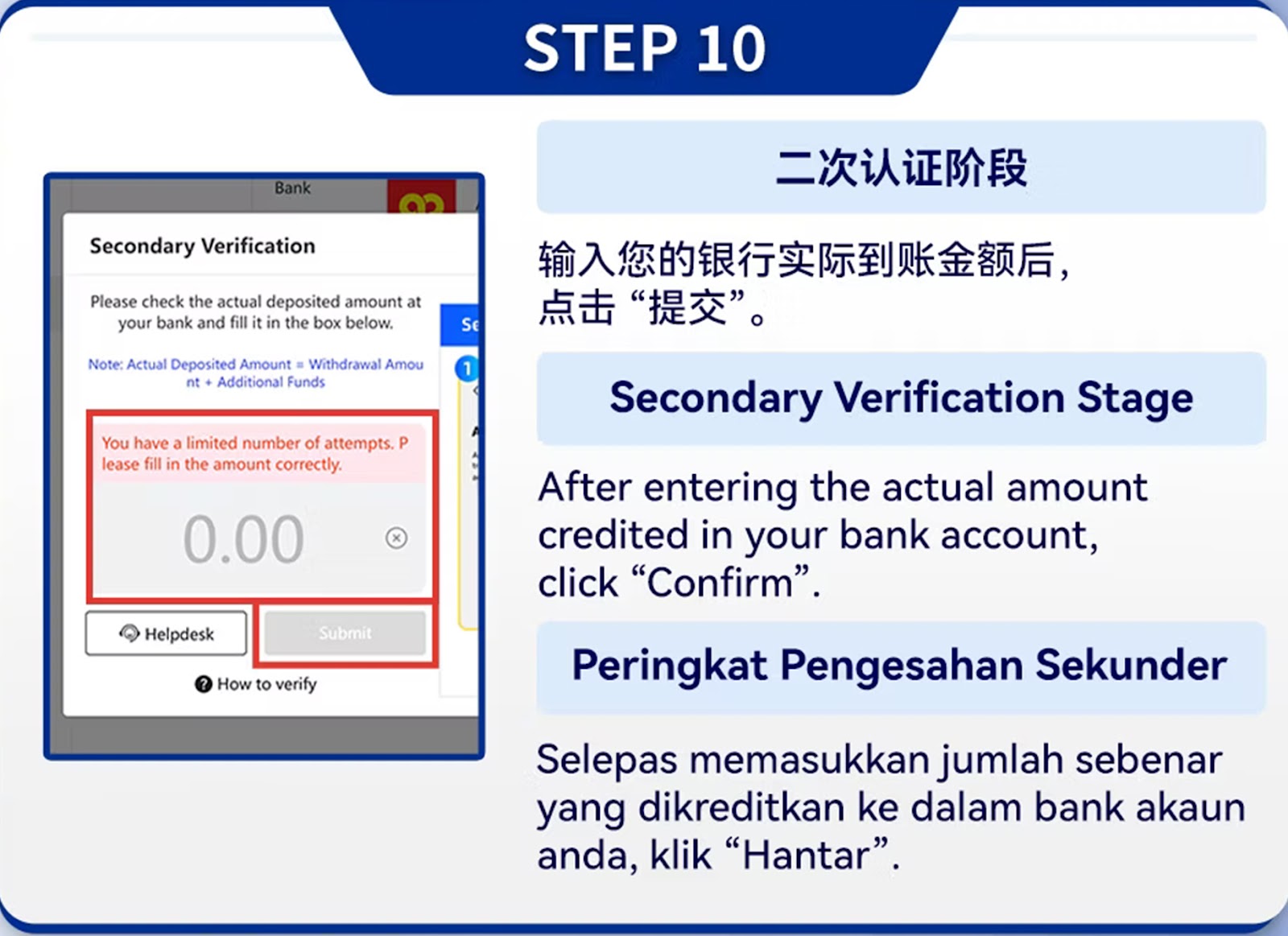
Step 10 – Withdrawal Verification Input
Enter the system-guided verification amount to finalize identity ownership.
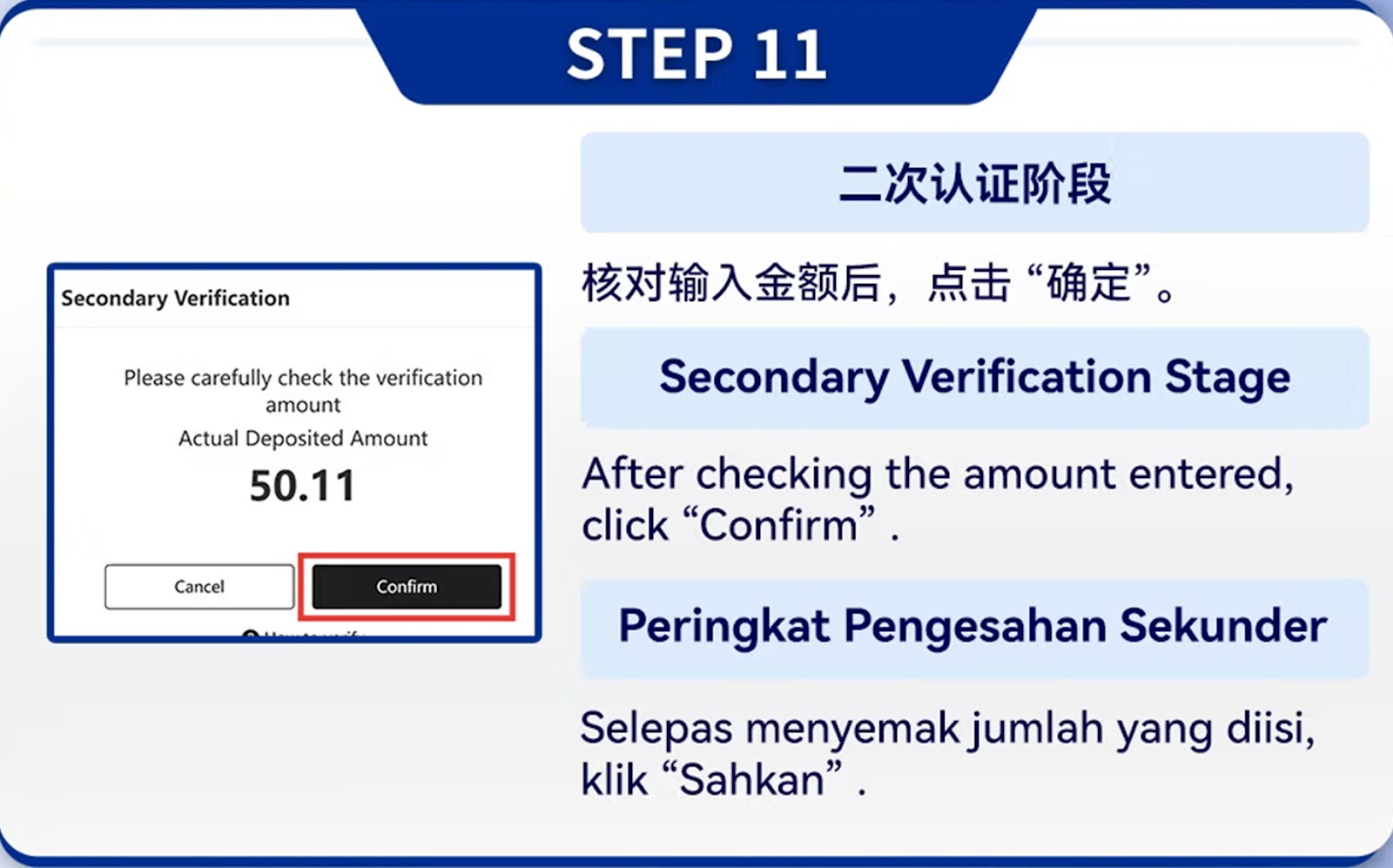
Step 11 – Wait for Approval
System reviews and approves identity authentication based on submitted data.
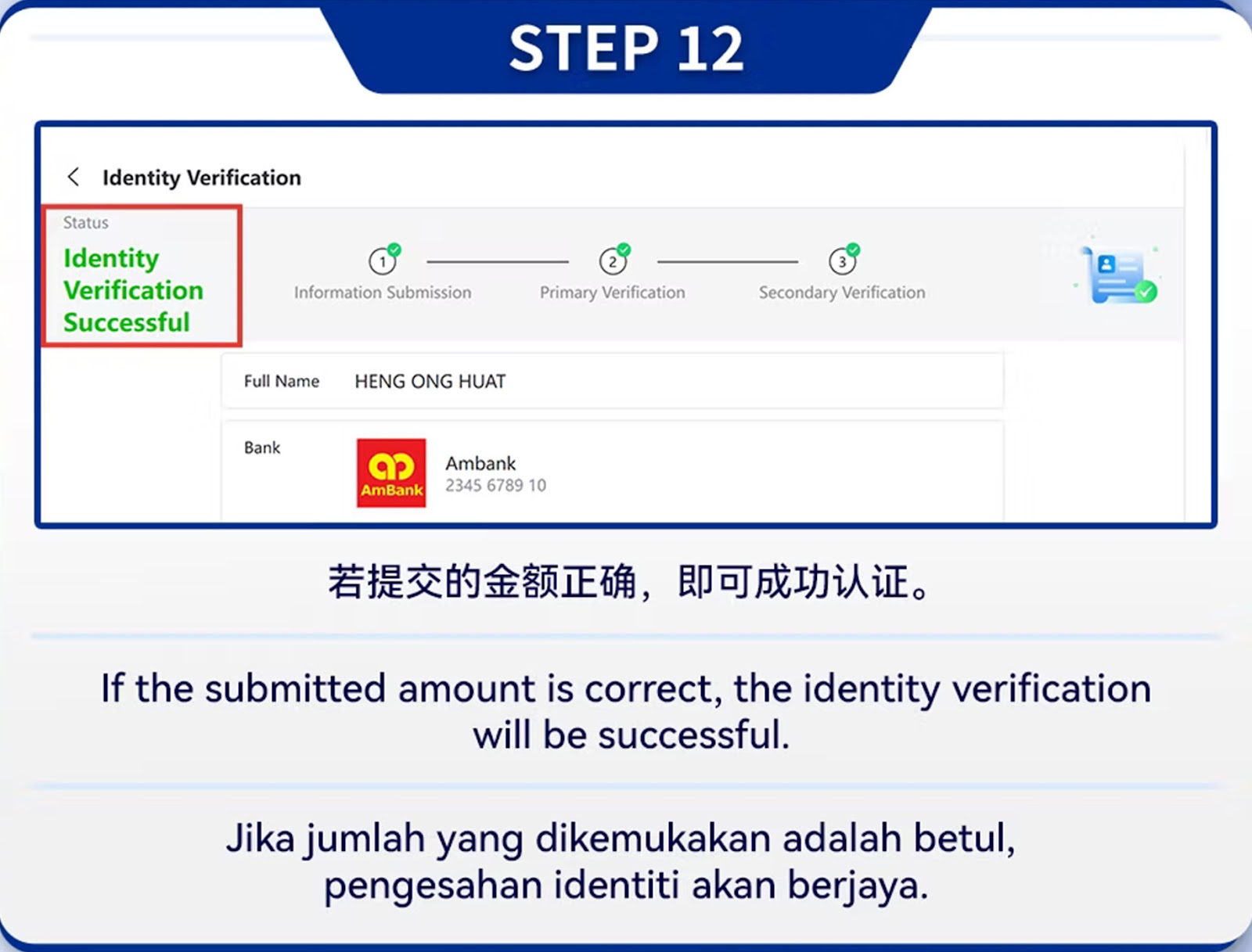
Step 12 – Successful Verification
You will receive confirmation. From this point forward, you can withdraw freely without restriction.
Withdraw Safely with Verified Identity
Complete your identity verification and follow the official WINBOX withdrawal steps to enjoy fast, secure, and hassle-free cash out anytime.